01
Open Account
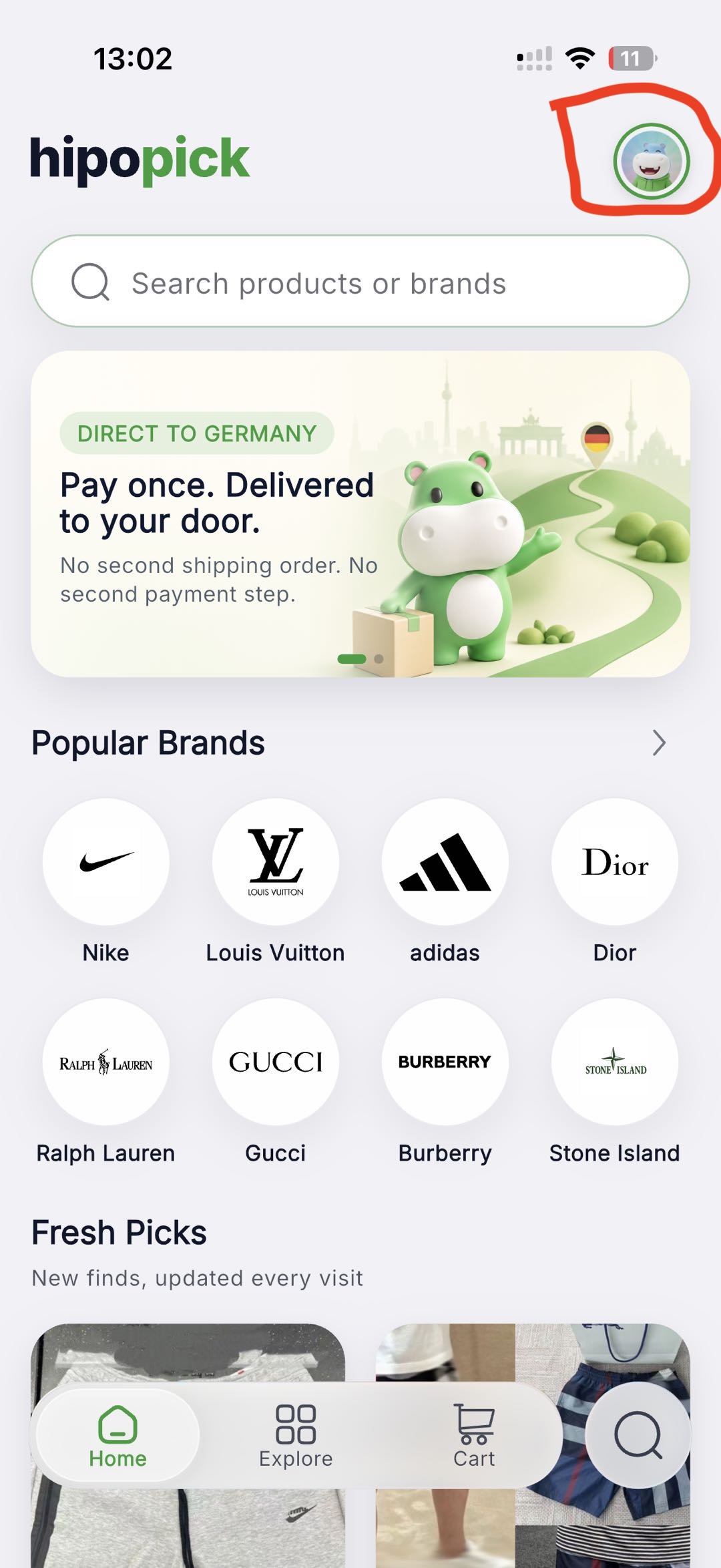
On the Home screen, tap your profile avatar in the top-right corner.
Legal centre
HIPOPICK / Account management
Use the secure in-app process when you can sign in. If you no longer have access to the app, you can request account deletion by email.
Request account deletion by emailThis opens your email app. Send the request from the email address on your Hipopick account. Do not send your password, payment details, or verification code.
HIPOPICK APP
The screenshots below show the current Hipopick app flow. The interface may vary slightly by app version.
01
On the Home screen, tap your profile avatar in the top-right corner.
02
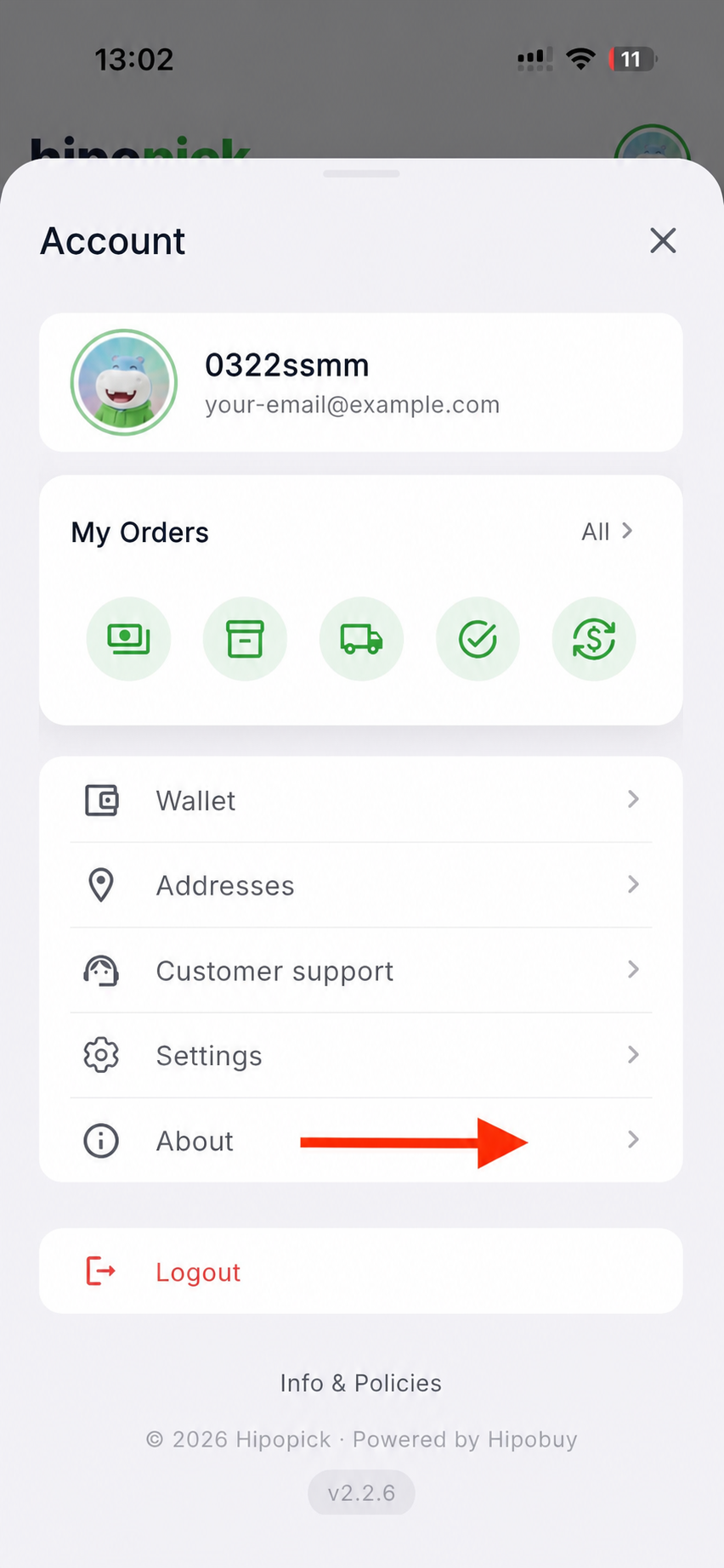
In Account, scroll to and select About.
03
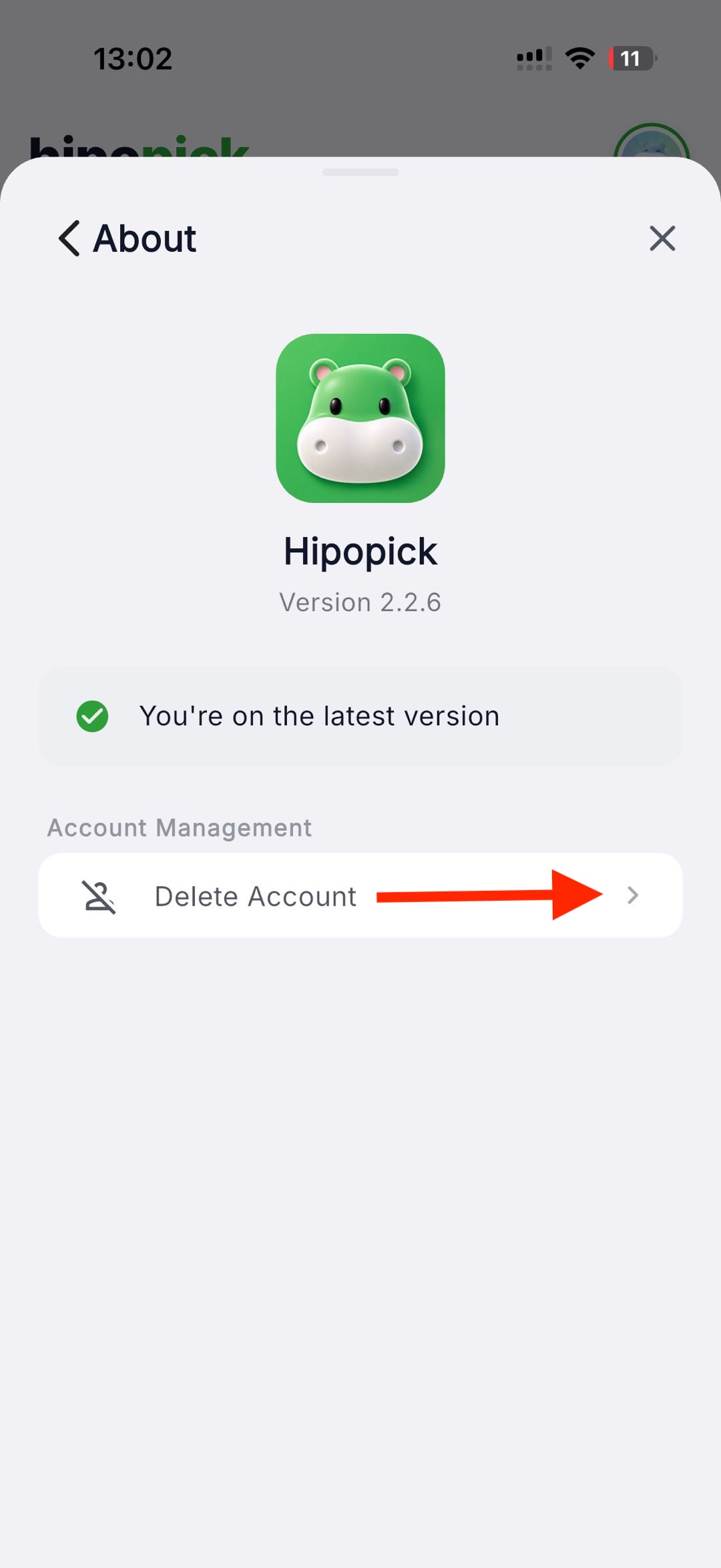
Under Account Management, select Delete Account.
04
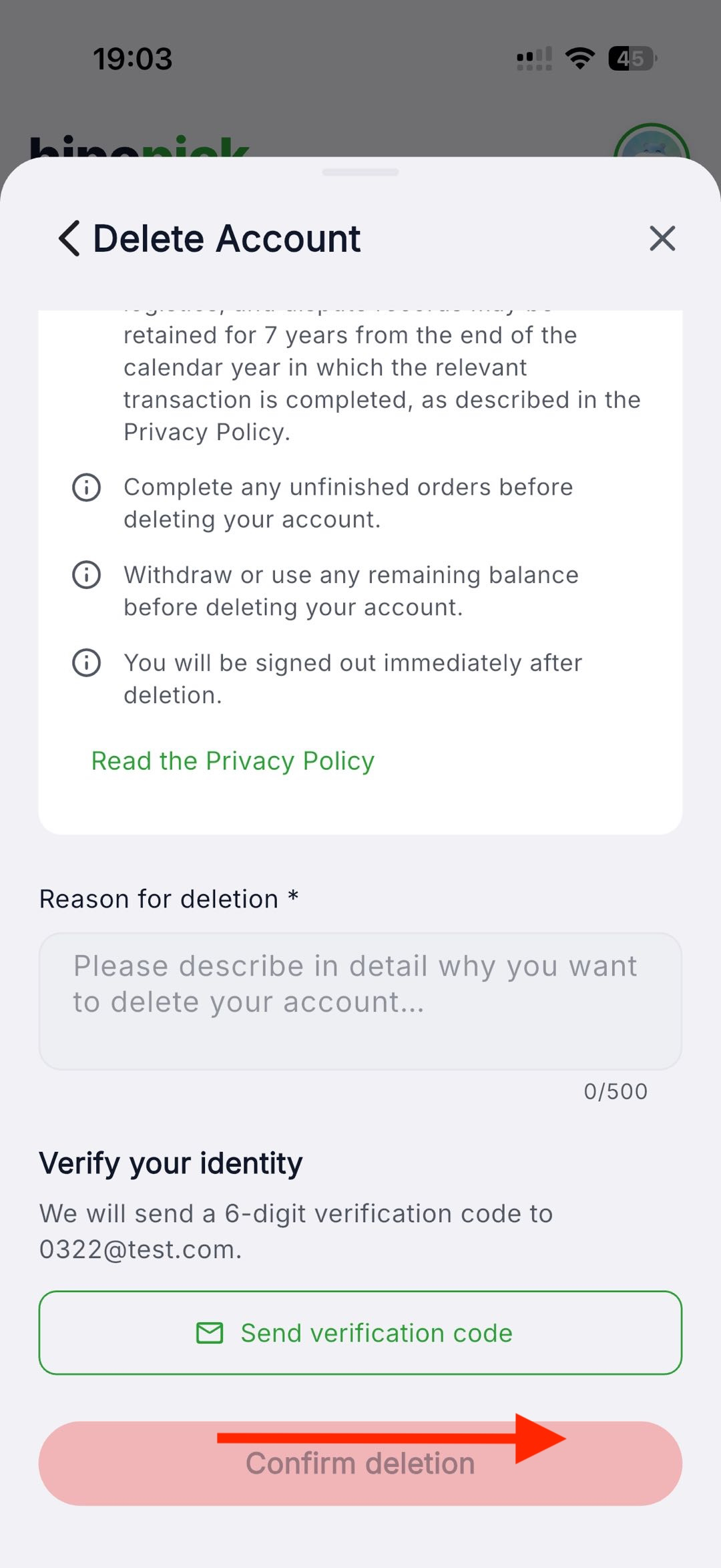
Enter a deletion reason, request the verification code sent to your registered email, enter the 6-digit code, then confirm deletion.
HIPOPICK
HIPOPICK
After a verified deletion request is submitted, we delete or anonymize account and profile data within 30 days. Completed order, payment, refund, delivery, customs, and transaction-address records are retained for 7 years from the end of the relevant calendar year. Standalone after-sales and dispute records are retained for 3 years, account-linked analytics for up to 30 days, security logs for 12 months, and backups for up to 90 days. See the Privacy Policy for the applicable terms. A longer legal requirement takes priority.
SUPPORT
Contact Hipopick support if you cannot access your account or need help with a deletion request.
support@hipopick.com